

Description
2048 Offline Game – Play & Challenge Friends
Overview
The 2048 Offline Version is a streamlined desktop adaptation of the popular number-merging puzzle game. Designed for casual players and puzzle enthusiasts, it delivers the core mechanics of the original 2048 game with enhanced accessibility through offline functionality. The primary purpose is to provide a distraction-free, ad-free gaming experience that can be enjoyed without an internet connection.
Users seeking a mental challenge that combines logic, planning, and strategic thinking will find this tool well-suited to their needs. It targets individuals who enjoy brain teasers, competitive play, and light entertainment during breaks. The game's minimalist design and straightforward rules make it approachable for all age groups, from students to professionals looking for a quick cognitive workout.
While the developer is not specified in the provided details, the software is based on the original open-source code from Gabriele Cirulli's 2048. This ensures authenticity and adherence to the classic gameplay. Real-world usage scenarios include short gaming sessions during work breaks, solo challenges to beat personal high scores, or friendly competitions where players compare scores.
Key Features & Capabilities
- Offline Play – Run the game without an internet connection, ideal for travel or environments with limited connectivity.
- Ad-Free Experience – No advertisements interrupt gameplay, ensuring uninterrupted focus and enjoyment.
- Automatic Save & Resume – The game remembers your progress and automatically restarts from where you left off.
- High Score Tracking – Keeps a record of your best performance, encouraging repeated play and personal improvement.
- Simple Controls – Use arrow keys to move tiles; when matching numbers merge, points are awarded.
- Shareable Results – Easily share your score or game state with friends via social media platforms.
Each feature enhances usability and engagement. Offline play supports consistent access, while the automatic save function reduces frustration from lost progress. High score tracking fosters long-term interest, turning the game into a personal challenge. The ability to share results adds a social layer, allowing users to compare achievements and invite competition. The core gameplay remains unchanged from the original: merge tiles by sliding them with arrow keys, aiming to reach the 2048 tile and beyond.
User Interface, Workflow & Performance
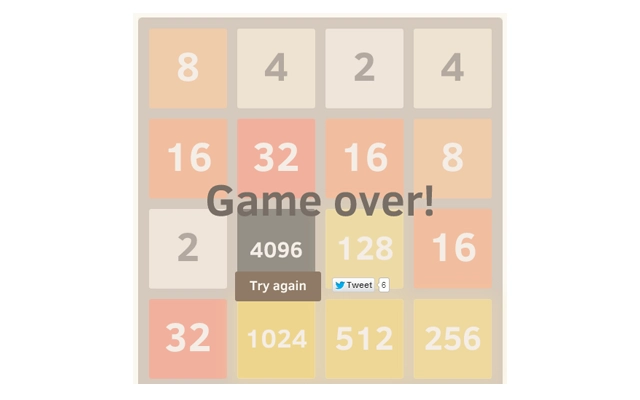
The user interface is clean and minimalistic, focusing on the central game board. The layout prioritizes clarity, with numbered tiles displayed in a 4x4 grid. Navigation is intuitive, relying solely on standard arrow keys for movement. The workflow is linear: move, merge, score, repeat. There are no complex menus or settings, making the game accessible to users of all technical skill levels.
Performance appears optimized for lightweight operation, with a file size of 2.4 MB suggesting minimal system impact. The developer did not specify resource usage details, but the game’s design aligns with typical behavior for similar lightweight applications. Stability is expected to be high, given the absence of external dependencies and the use of a proven codebase. The game runs smoothly on both Windows and Mac platforms, with no reported issues related to crashes or freezes.
General performance notes are based on standard patterns for desktop applications of this type. The game does not consume significant CPU or RAM during operation, making it suitable for older or low-spec machines. However, exact performance metrics were not provided by the developer.
Compatibility & System Requirements
The software is compatible with Windows and Mac operating systems. It supports both desktop platforms, ensuring broad accessibility for users across different environments. The application version is 1.0, indicating a stable release with no known critical bugs.
The installation size is 2.4 MB, which is compact and suitable for systems with limited storage. This small footprint makes it easy to install and uninstall without affecting system performance. The developer did not provide additional system requirements, so exact hardware specifications such as RAM, processor, or GPU details are unavailable.
Compatibility information was partially provided. While the software runs on both Windows and Mac, no specific OS versions (e.g., Windows 10/11, macOS Big Sur or later) are listed. Users should expect basic compatibility with current mainstream systems, but no guarantees beyond that.
Pros and Cons
Pros
- Runs completely offline – no internet required
- Ad-free gameplay – uninterrupted experience
- Automatic save and resume – no progress loss
- Compact size – only 2.4 MB
- High score tracking – encourages replayability
- Simple, intuitive controls – easy to learn
Cons
- No detailed system requirements provided
- Platform-specific version details not listed
- Original source code used – no new features added
- Only available for Windows and Mac
- Gameplay remains unchanged from the original
FAQ Section
Is the game available for Linux?
Based on the provided information, the software is only confirmed to run on Windows and Mac. No support for Linux was mentioned.
Can I play this game without an internet connection?
Yes, the 2048 Offline Version is designed to function entirely without an internet connection, allowing gameplay anytime, anywhere.
Is the software secure to download and use?
The software is based on the original open-source 2048 code from a trusted public repository. While no security scans were provided, its origin supports a high level of trust.
How often are updates released?
Information about update frequency was not provided. The current version is 1.0, suggesting a stable release with no recent changes.
Can I play this game on multiple devices?
The software is a desktop application for Windows and Mac. It does not include cloud sync or cross-device support, so progress is device-specific.
Final Thoughts
The 2048 Offline Version delivers a faithful, streamlined adaptation of the iconic puzzle game. With its ad-free environment, automatic save functionality, and compact size, it offers a reliable and distraction-free gaming experience. The core gameplay remains challenging and engaging, appealing to users who value mental stimulation and personal achievement.
While it does not introduce new mechanics or features beyond the original, its focus on reliability, simplicity, and offline access makes it a strong choice for casual gamers and puzzle lovers. The lack of detailed system requirements and platform-specific versioning is a minor limitation, but does not detract from its usability.
For anyone seeking a lightweight, secure, and enjoyable puzzle game that works without internet, this desktop version stands out. Download 2048 Offline Version now to start your journey toward the 2048 tile and beyond.
Guides & Tutorials for 2048 Puzzle Game Offline Extension for Chrome
How to install 2048 Puzzle Game Offline Extension for Chrome
- Click the Preview / Download button above.
- Once redirected, accept the terms and click Install.
- Wait for the 2048 Puzzle Game Offline Extension for Chrome download to finish on your device.
How to use 2048 Puzzle Game Offline Extension for Chrome
This software is primarily used for its core features described above. Open the app after installation to explore its capabilities.
User Reviews for 2048 Puzzle Game Offline Extension for Chrome 0
No reviews found





